Callisto- CPM for the masses - User Navigation |

|
Corporate Performance Management
Control Panel driven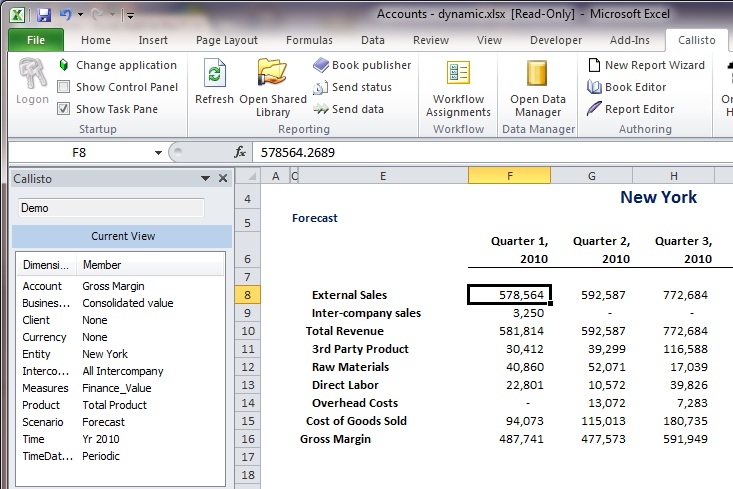 Users can navigate
anywhere in the database with powerful current view navigation.
The current location is displayed so a user always knows where they are currently located in the database.
All security is fully enforced so users only see the members they have been granted access to. Users can navigate
anywhere in the database with powerful current view navigation.
The current location is displayed so a user always knows where they are currently located in the database.
All security is fully enforced so users only see the members they have been granted access to.
Multiple hierarchiesDimension can have multiple hierarchies. It is easy to have things like an entity dimension that has a Management hierarchy and a Functional hierarchy, if that is what your reporting requires. See below for an example of what this will look like to your users with Callisto. |
Member Selector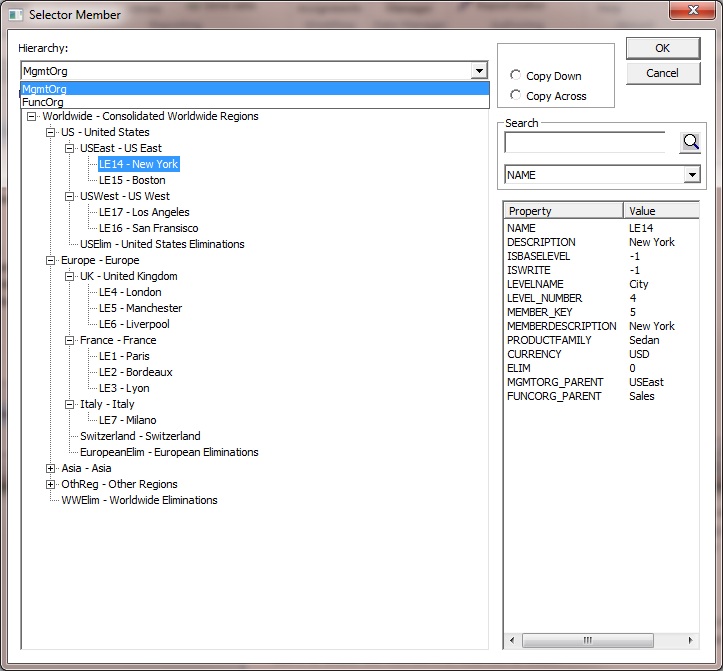 Easy user navigation of dimensions with the Member Selector. Member Ids and Descriptions
are displayed so the user can understand what they are looking at even in
the real world where member ids are things like product numbers or account numbers that no one
understands.
Easy user navigation of dimensions with the Member Selector. Member Ids and Descriptions
are displayed so the user can understand what they are looking at even in
the real world where member ids are things like product numbers or account numbers that no one
understands.
Searchfor member ids to easily find them. This is important in real world applications where dimensions contain hundreds and thousands of members with many levels. Without the ability to search for members it can be difficult for users to locate the members of interest to them.Propertiesfor each member are displayed in the Property list on the right. Define properties on members and make them available to users. Users can see all the properties and values available for every member. By making all properties visible to users and allowing users to access all property values in reports, users discover the power to become very creative in their reporting and analysis of the data.Management hierarchySee the dimension members organized based on the Management hierarchy. Changing to a different hierarchy is as simple as selecting the hierarchy from the drop down list. |
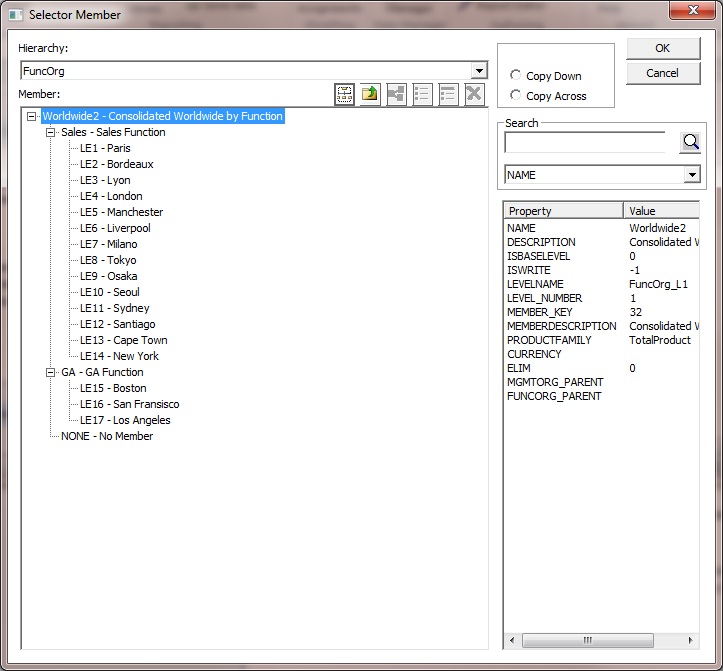
Functional hierararchyAfter selecting the Functional hierarchy see the dimension members organized based on the Functional hierarchy. Hide membersto eliminate any confusion for users. When you add dimension members for purely system purposes such as intermediate calculations, just hide those members and eliminate confusion for end users. |